Your team's knowledge, finally queryable
imi turns every meeting transcript, document, and git commit into a structured, queryable knowledge graph — so humans and AI agents can find what your team decided, when, and whether it still stands.
Self-hosted. Docker Compose. Two config values. ~30 AI-callable tools. Your knowledge, finally findable.
An independent explainer for sufficiently-advanced-ai's imi — built to take you from "never seen it" to "ready to implement".
01
Your organization's knowledge is trapped
Why does this exist?
Imagine trying to answer a question your organization has already answered — and not being able to find the answer anywhere.
Your team generates enormous insight every day: decisions made in calls, strategies buried in documents, context locked inside commit messages. But none of it is organized. When a new developer joins and asks 'why was this architectural pattern chosen?' — the answer exists, somewhere in a three-month-old meeting transcript, but nobody can point to it. When an AI assistant is asked 'what did we decide about the Q3 rollout?' — it has never seen the decision, so it guesses.
The usual response is a wiki or a shared document — somewhere to dump notes. But wikis require someone to manually update them, go stale within weeks, and cannot be searched programmatically. Your AI tools — the coding assistants, the chat agents, the workflow automators — have no connection to what your team actually decided. They're powerful, but working blind.
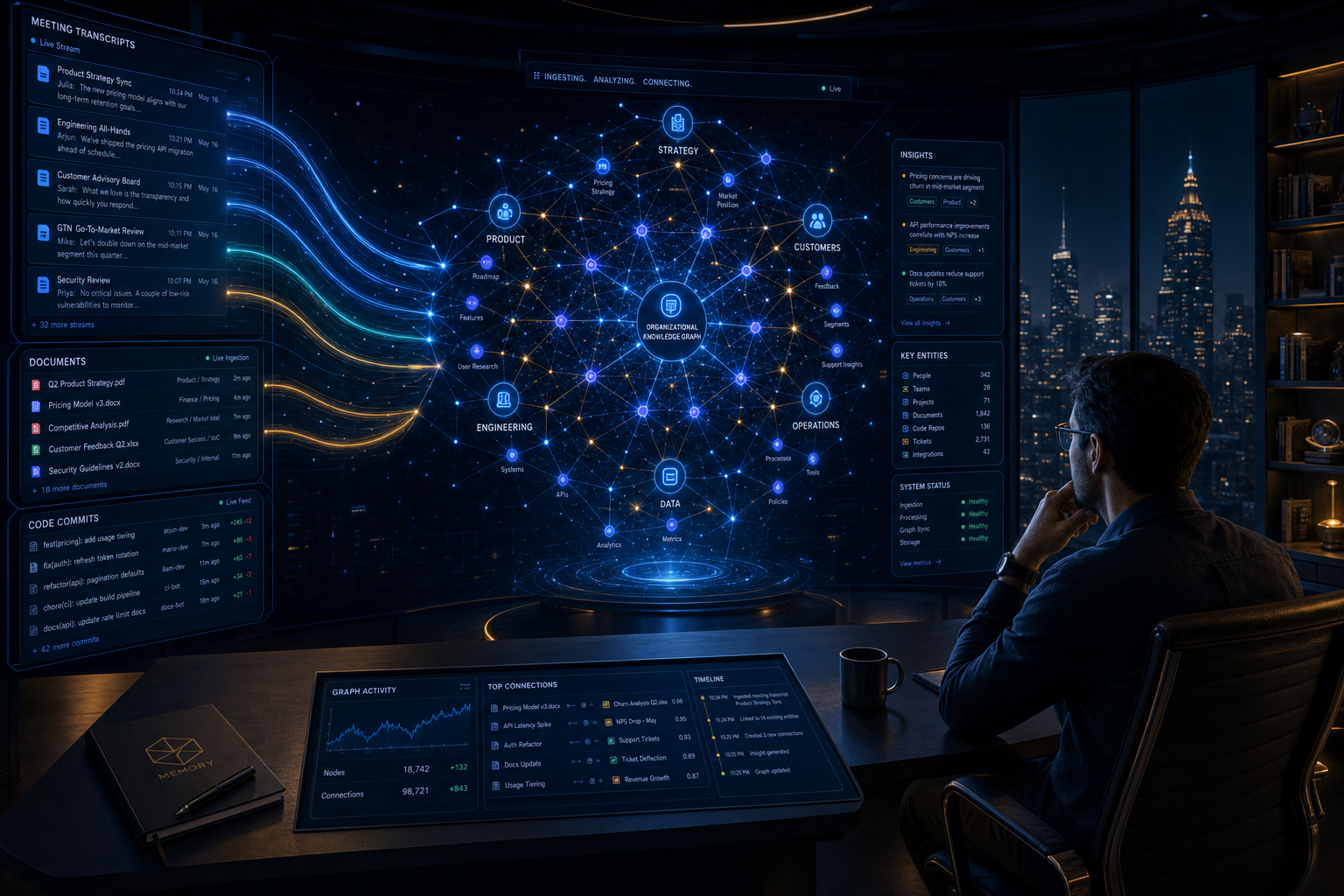
imi solves this by automatically processing everything your team produces — call transcripts, documents, code changes — and turning it into a structured graph that both humans and AI can query. Feed it a meeting; it extracts who was there, what was decided, what action items were assigned. Those facts then live in a form that's queryable instantly — no manual curation required.

02
A self-hosted knowledge engine
What does it actually do?
Drop in a transcript, get back a structured knowledge graph your AI tools can query. Here's exactly what that means.
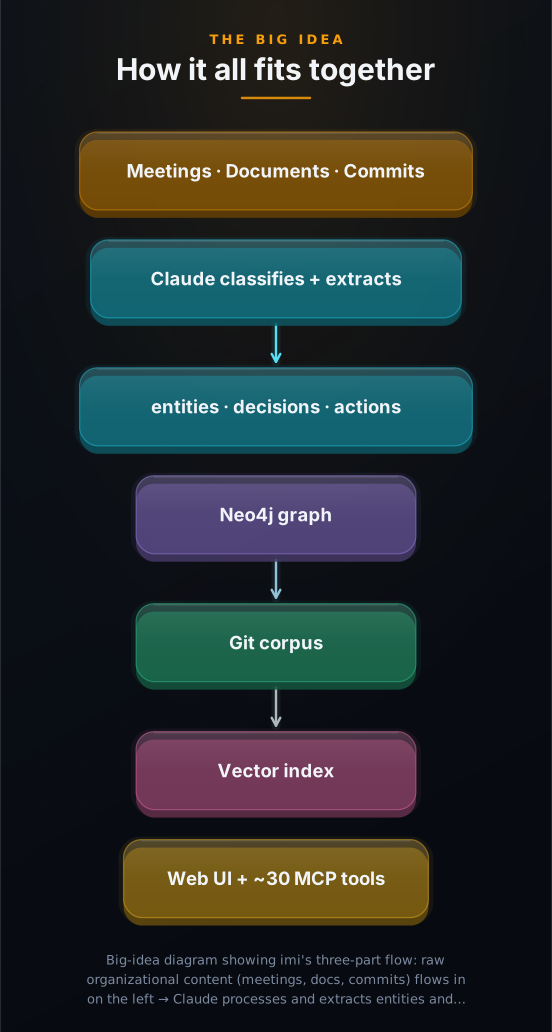
imi is a self-hosted server (meaning you run it on your own infrastructure, not a third party's) that takes incoming text, runs it through Claude (Anthropic's AI model, which reads the text and identifies what's important), and stores the results in three synchronized places. First, a Neo4j graph database — a specialized database that stores things as nodes and relationships rather than rows and columns, which makes it excellent for 'who knows whom' and 'what decision led to what' queries. Second, a git-backed markdown corpus — simply a set of plain text files stored in a version-controlled folder, so everything is auditable and portable. Third, a vector index — a database of numerical 'fingerprints' (embeddings) for each piece of stored knowledge, which enables semantic search (finding things by meaning rather than exact keywords).
Everything stored in imi is immediately queryable from two surfaces. Humans use a web dashboard: an entity explorer, a signal feed (the stream of extracted decisions and action items), a decisions page, and a chat interface. AI tools — coding assistants, workflow agents, custom scripts — connect via MCP (the Model Context Protocol, an open standard that lets AI tools call external services like an API), which exposes approximately 30 callable tools: search the graph, traverse entity relationships, recall memory with trust filters, and more.
The entire instance adapts to your context through a single configuration file — in YAML (a plain human-readable text format) at config/domains/ — that defines entity types (people, projects, accounts), relationship types, extraction steering, and what the UI calls things. Six ready-made configurations ship: consulting firm, business-to-business (B2B) software company, agency, freelance consultant, member network, and personal contacts tracker (CRM). You can write your own in about an hour.
03
The clever move: trust is a data type, not a runtime check
Why is it elegant?
Here's the problem with letting AI automatically store what it observes: 'we might move the rollout to Q3' and 'we have officially moved the rollout to Q3' are two very different things.
Every piece of knowledge imi extracts from a meeting carries two independent axes. The first is temporal: is this decision still current? Computed fresh whenever you read it (never stored as a value that can drift out of date), it tells you whether a decision is active (still in force), stale (90 days without any mention — might be forgotten), superseded (explicitly overridden by a newer decision), conflicting (contradicted by a different decision), or zombie (a temporary decision whose expiry date has passed). No background process updates these labels; they are derived from the data on every read.
The second axis is authority: should this be treated as observed evidence or as a standing instruction? By default, everything Claude extracts from a meeting is evidence-only — a record of what was said or observed. An AI agent can read it, search it, and surface it. But it cannot elevate itself to policy. Only a human review action (confirming a signal via the dashboard or via an explicit API call) grants instruction grade — the category agents are permitted to treat as organizational policy.
This rule is enforced at the data-model level, not as a runtime check that can be bypassed by clever API calls. A validator built into every signal record will reject any attempt to set 'can use as instruction: true' without the matching 'human-confirmed provenance.' The trust boundary is structural. Your organization's AI tools get access to everything — but the machine cannot write its own policy.
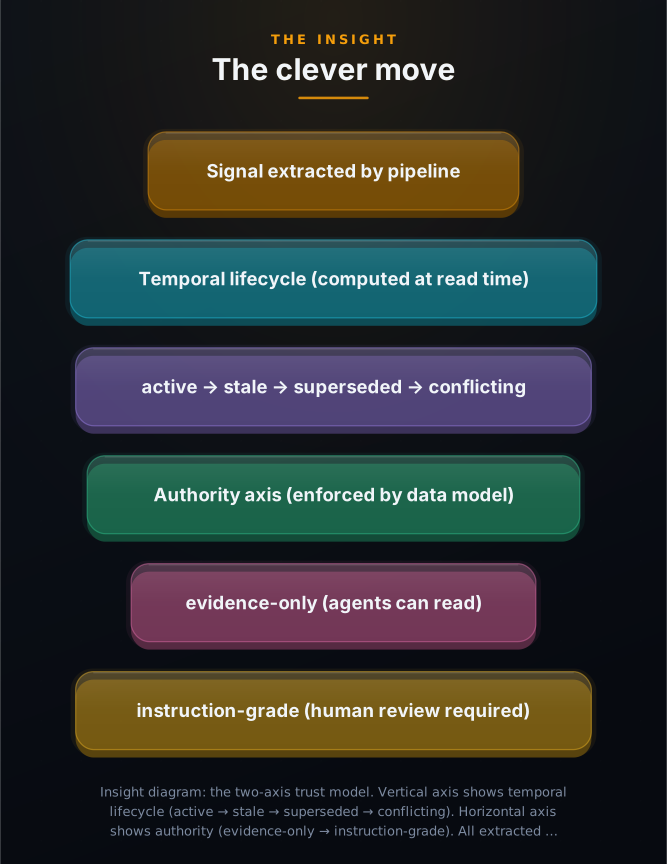
AI agents read everything your team produces. Only humans can promote something to policy. That rule is structural, not a setting.
04
How it works: pipeline, stores, MCP
How is it built?
Eleven stages, three synchronized stores, and a trust boundary that runs through everything.
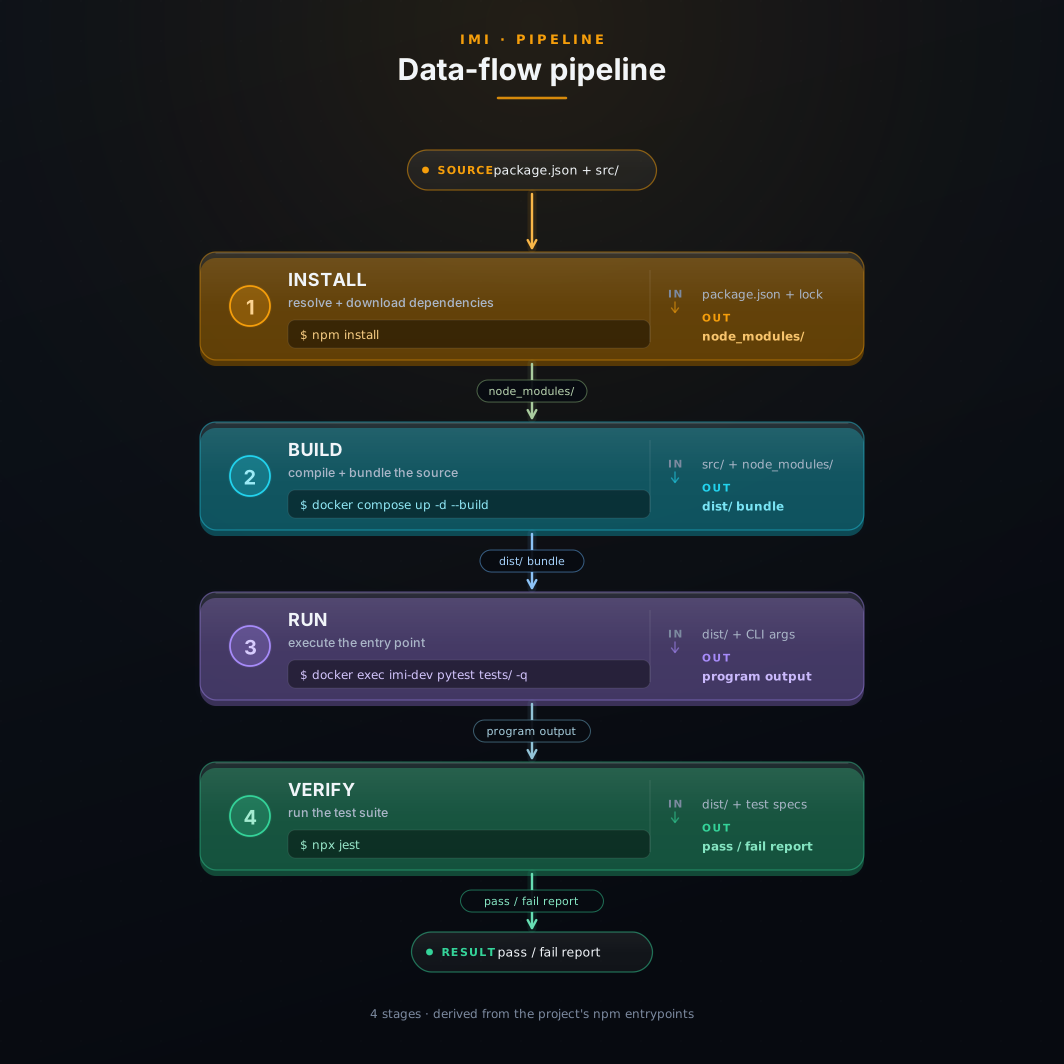
When content arrives at POST /api/ingest (imi's main intake endpoint, which returns a job ID and processes the content in the background), the IngestOrchestrator runs eleven pipeline phases. Phases one through four are load-bearing: classify the content type, build a structured observation record, extract named entities (people, organizations, projects), and promote typed signals (decisions, action items, key points, insights) using Claude. The remaining phases are non-fatal — supersession detection, conflict detection, graph enrichment, persisting to the git corpus, profile enrichment, and a human-readable 'what changed' delta report — so a failure in one doesn't abort the whole job. Live progress streams over SSE (Server-Sent Events, a browser-compatible streaming protocol).
Three stores stay in sync on every ingest. The Neo4j graph holds entities, signals, and validated relationships as nodes and edges — all written idempotently, so re-ingesting the same content updates rather than duplicates. The git corpus holds markdown and JSON files as the canonical source of truth; if the file write fails, the graph write rolls back. The vector index (SQLite by default, PostgreSQL+pgvector for larger deployments) holds sentence embeddings for semantic search across all stored knowledge.
The MCP surface exposes approximately 30 tools via SSE at /api/mcp/sse. Agents can search the graph by keyword or semantically, traverse entity relationships, list decisions with their full lifecycle history, recall governed memory filtered by authority level, write their own operational memories, and run read-only graph queries. No tool parameter lets an agent grant itself instruction-grade authority — that invariant is enforced server-side across all tools.
05
Who uses imi and how
Could I use this?
Any team that generates knowledge in calls and documents and needs AI agents that can actually query it.
1 The consulting team losing context between clients Consulting
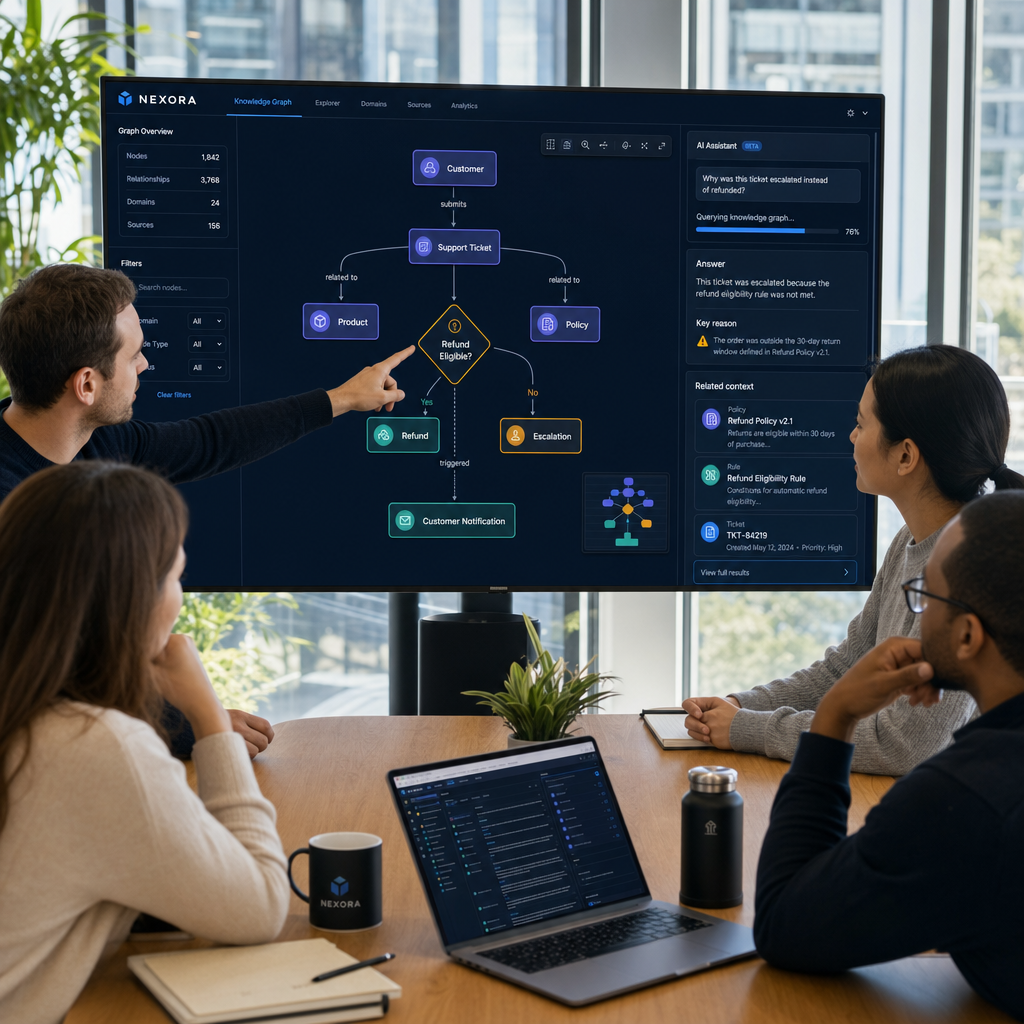
Every client call generates decisions and commitments that live in someone's notes until they don't. With imi, every Fathom or Otter transcript routes via Zapier into the pipeline automatically. Entities (client, project, people) are extracted. Decisions ('move rollout to Q3') and action items ('Casey drafts plan by Friday') are typed and stored. The 'constitution' MCP tool renders all confirmed, active decisions as a single markdown document — the closest thing to 'current policy for this client' the system can produce. A new team member reads the constitution, not the full transcript archive.
2 The developer who wants Claude to know why decisions were made Engineering
GitHub webhooks push every commit and pull request. Architecture Decision Records in the docs/ folder are ingested on push. Now when a developer asks Claude Code 'why was this pattern chosen?' — Claude calls ask_kb over MCP and surfaces the actual ADR that made the decision, with supersession history intact. No more archaeological digs through a year of commits.
3 The AI-heavy team that needs safe agent memory AI / Agents
Agents running long tasks can write AgentMemory records — lessons learned, open questions, work logs — via memory_writeback. These records are clamped to evidence grade at the schema level; no agent can self-promote to instruction grade. A human reviews the agent's memory trace via inspect_memory and confirms what should become policy. The trust boundary is preserved even when agents are writing back to the system.
06
From zero to a running knowledge engine
How do I start?
Docker-only. No local Python or Node needed. Two required values; everything else has working defaults.
docker compose up -d --build- Clone and configure: git clone https://github.com/sufficiently-advanced-ai/imi.git && cd imi && cp .env.example .env — then open .env and set ANTHROPIC_API_KEY=sk-ant-... and NEO4J_PASSWORD=any-password-you-choose. These are the only two required settings.
- Start everything: docker compose up -d --build — this pulls Docker images, builds the Next.js frontend (allow 5–12 minutes on first run), starts Neo4j, and starts the application. Two containers start: imi-neo4j and imi-app.
- Verify it's up: docker compose ps (you should see both containers with status 'healthy') then curl -fsS http://localhost:8080/health && echo OK — you should see '200 OK'. The app waits for Neo4j's health check before accepting traffic — poll rather than assume it's ready immediately.
- Feed it your first piece of content: POST /api/ingest with a JSON body containing content (the text), title, source_id (a stable identifier for idempotency), and participants (array of names). The response is a 202 with a job_id.
- See what it extracted: curl -s http://localhost:8080/api/ingest/{job_id}/delta — you'll see a human-readable report: which entities were added (people, organizations, projects), what decisions were extracted, what action items were assigned, and what new relationships appeared in the graph. Open http://localhost:8080 to see the web UI.
- Connect your AI tools: Copy .mcp.json.example to .mcp.json (or add the equivalent to Claude Desktop / Cursor / any MCP-compatible client). Your AI assistant can now call ask_kb, search_knowledge_graph, memory_recall, add_call_transcript, and ~30 other tools that read from and write to your knowledge graph.
07
Take imi's knowledge base with you
Does my AI get it too?
The downloadable AI pack ships the full knowledge base as a drop-in for any MCP-compatible AI client. No running server required.